
From p=none to p=reject: A DMARC Enforcement Walkthrough That Won't Break Your Mail
If you've read our rundown of the 2026 deliverability rules every sender must meet, you already know the refrain: publish DMARC and "work toward enforcement." Gmail, Yahoo, and Outlook.com all expect a DMARC policy for bulk senders, and the strongest reputation signal is a policy at p=quarantine or p=reject — not the placeholder p=none most domains get stuck on. But "work toward enforcement" is doing a lot of quiet work in that sentence. The gap between publishing v=DMARC1; p=none and flipping to p=reject is where the real risk lives, because a careless jump to enforcement doesn't just block spoofers — it blocks your own legitimate mail that you forgot was being sent on your behalf.
This is the walkthrough that bridges that gap. We'll cover what p=none actually does, how to read the aggregate reports it generates, how to find and fix every legitimate sending source, and the staged rollout — none → quarantine with a percentage ramp → reject — that gets you to enforcement without a deliverability incident. If you need a refresher on what SPF, DKIM, and DMARC each do, start with our SPF, DKIM, and DMARC explainer; this post assumes you've got the basics and want to move from "published" to "enforced."
What p=none Really Is (and Isn't)
The single most common misconception about DMARC is that p=none protects you. It doesn't. p=none is monitor mode: it tells receiving mail servers to take no action on messages that fail DMARC, but to send you reports about what they're seeing. A domain sitting at p=none can still be spoofed freely — the policy explicitly says "deliver failures anyway." What p=none buys you is visibility, and that visibility is the entire point of the phase.
The official DMARC specification, RFC 7489, frames DMARC as a mechanism for senders and receivers to collaborate: senders publish a policy and a reporting address, receivers honor the policy and report back. The reporting half is what makes a safe rollout possible — you get a census of everything sending under your domain before you ever start blocking.
The reason most domains languish at p=none for years isn't laziness — it's fear, and the fear is rational. Modern organizations send mail from far more places than anyone remembers: the marketing ESP, the helpdesk platform, the invoicing system, the HR tool, the CRM, the "no-reply" notifications from three different SaaS products, and the CEO's newsletter that goes through a fourth. Flip to p=reject before all of those are authenticated and aligned, and you will silently bounce real, wanted mail. The walkthrough below is how you de-risk that.
Step 1: Publish a Reporting-Ready p=none Record
If you don't already have a DMARC record, start here. Publish a TXT record at _dmarc.yourdomain.com that requests aggregate reports:
v=DMARC1; p=none; rua=mailto:dmarc@yourdomain.com; fo=1; adkim=r; aspf=rThe pieces that matter for the rollout:
p=none— monitor only; nothing gets blocked yet.rua=mailto:…— the address that receives aggregate (RUA) reports, the daily XML summaries from each mailbox provider. This is the data that drives the entire rollout. Without it, you're flying blind.adkim=randaspf=r— relaxed alignment to start. Relaxed allows a subdomain to align with the organizational domain; you can tighten to strict (s) later if you need it, but relaxed is the right default.fo=1— request failure reporting for any mechanism that fails, useful where providers still send forensic data.
Verify the record is live and well-formed before you rely on it. A DMARC record checker — like dmarcian's free inspector — parses your published policy and flags syntax problems, which is worth doing because a malformed record is treated as no record at all.
Step 2: Read the Aggregate Reports
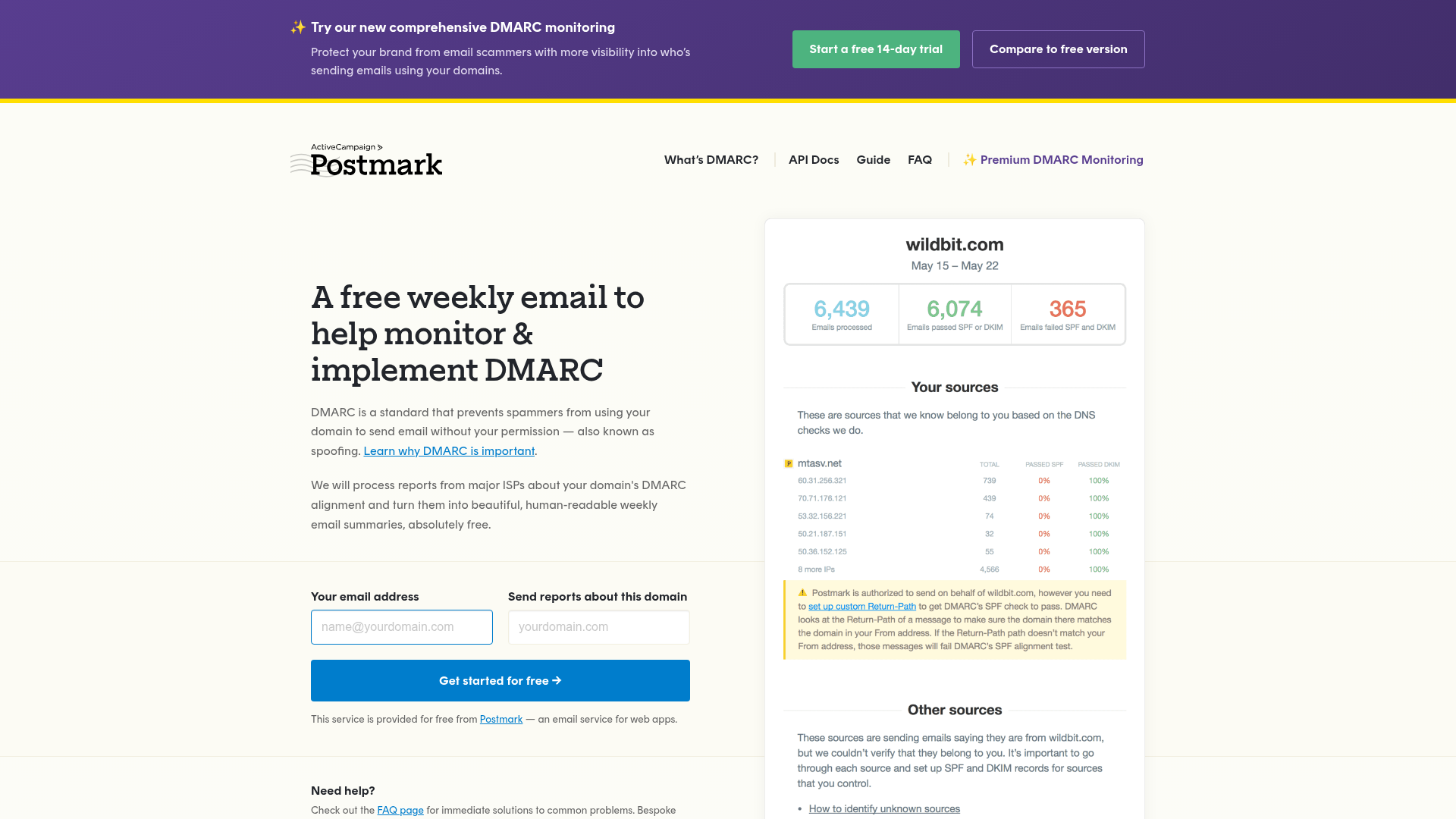
Within a day or two of publishing, RUA reports start arriving — as gzipped XML attachments, one per provider per day. Raw, they're unreadable. Do not try to parse them by hand. Feed them into a DMARC reporting service that aggregates and visualizes them: Postmark's free DMARC weekly digest, dmarcian, Valimail, or any equivalent. Point your rua address at the service (or forward to it) and let it do the parsing.
What you're looking for is a source inventory: every IP and sending service that is putting your domain in the From address, and whether each one passes SPF, DKIM, and — critically — alignment. A free tool like Postmark's makes this legible at a glance.
Read the dashboard in two buckets, exactly as Postmark splits them:
- Known / your sources — services the tool can tie back to your DNS. For each, check the SPF and DKIM pass columns. A source passing DKIM at 100% but SPF at 0% (common with ESPs using a shared Return-Path) is usually fine for DMARC as long as DKIM aligns — DMARC passes if either SPF or DKIM passes and aligns.
- Other / unverified sources — senders claiming to be your domain that the tool can't verify. This bucket is the heart of the exercise. Some are legitimate services you forgot about; some are forwarders mangling your mail; and some are genuine spoofers. Your job over the next few weeks is to empty this bucket: authenticate the legitimate ones, and leave only the abusers — who are exactly who
p=rejectwill eventually block.
Step 3: Identify and Fix Every Legitimate Source
This is where the weeks go, and where rushing causes outages. Go through every source in your reports and classify it. The DMARC.org overview describes the core idea well: DMARC works by checking whether a message "aligns" with what the receiver knows about the sender, so your goal for each legitimate source is to make it both authenticate and align.
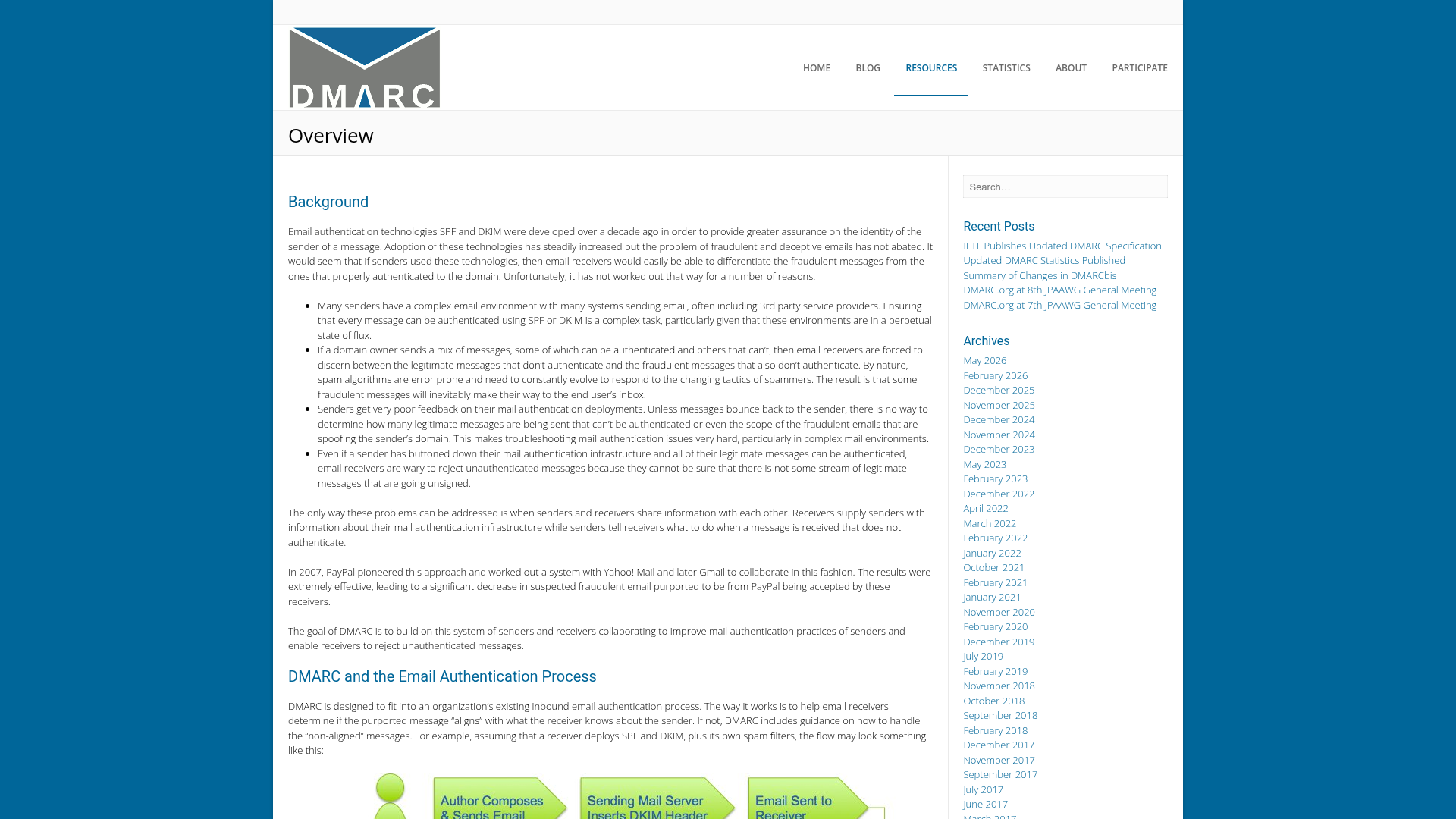
For each legitimate sending service:
- Add it to SPF. Include the service's SPF mechanism in your domain's SPF record (e.g.
include:_spf.theservice.com). Watch the 10-DNS-lookup SPF limit; if you're near it, lean on DKIM for alignment instead and consider SPF flattening. - Enable and align DKIM. Have the service generate a DKIM key and publish the provided
selector._domainkey.yourdomain.comrecord. DKIM alignment is the more robust path because, unlike SPF, it survives forwarding. Prefer DKIM as your primary alignment mechanism wherever a service supports it. - Fix the From / Return-Path domain. Many SaaS tools default to sending from their own domain (e.g.
notifications@theirapp.com). For DMARC on your domain to matter, mail that represents you should use your domain in the visible From, with a custom Return-Path or DKIM signing domain that aligns. If a tool can only send from its own domain, that's fine — it just won't (and needn't) be covered by your DMARC policy. - Re-check the reports. Wait a few days and confirm the source has moved into the "passing and aligned" column. Only when a source is consistently green is it safe to enforce against the rest.
A note on forwarding: mailing lists and forwarders can break SPF (the forwarding server isn't in your SPF) and sometimes DKIM (if they modify the message). This is why DKIM-first alignment matters, and why senders whose mail is forwarded should also support ARC so authentication results survive the hop. Don't let a known forwarder scare you off enforcement — it's expected, and well-aligned DKIM handles most of it.
Step 4: The Staged Rollout to Enforcement
Once your reports show all legitimate sources authenticating and aligning — and the only remaining failures are forwarders you understand or spoofers you want blocked — you start tightening the policy. The golden rule: move in stages, and use the pct tag to ramp gradually. The pct tag tells receivers to apply your policy to only a percentage of failing mail, so you can dip a toe into enforcement instead of cannonballing in.
A sensible, conservative schedule:
Stage A — quarantine 10%
v=DMARC1; p=quarantine; pct=10; rua=mailto:dmarc@yourdomain.com; adkim=r; aspf=rNow 10% of failing mail goes to spam instead of the inbox. Watch your reports and your support channels for a week. If something legitimate was missed, you'll catch it affecting a small slice of mail rather than all of it.
Stage B — quarantine 50%, then 100%
If a week at 10% is clean, raise pct to 50, watch again, then to 100 (drop the pct tag entirely, which defaults to 100%). At p=quarantine with no percentage cap, all failing mail is quarantined — but quarantine is still recoverable: it lands in spam, not the void. Sit here for two to four weeks until you're confident.
Stage C — reject
v=DMARC1; p=reject; rua=mailto:dmarc@yourdomain.com; adkim=r; aspf=rThis is enforcement. Mail that fails DMARC for your domain is now rejected outright — spoofers can no longer put your domain in the From and reach an inbox. Keep the rua reporting on permanently; enforcement isn't "set and forget." New tools get added, vendors change infrastructure, and you want to see a new unauthenticated source the day it appears, not the day a spoof campaign succeeds.
Optionally, set a separate subdomain policy with sp= if your subdomains have a different risk profile, and tighten adkim/aspf to strict (s) only if your sending setup genuinely needs it — most senders are fine on relaxed.
How Long Should This Take?
For a simple domain with one or two sending services, you can responsibly reach p=reject in three to four weeks. For a large organization with a dozen sending sources and active forwarding, two to three months is normal and nothing to apologize for. The timeline is driven by one thing: how long it takes your reports to show a clean source inventory. Don't rush the percentage ramp to hit a deadline — the entire value of the staged approach is that it surfaces problems while they're small.
Resist two tempting shortcuts. First, don't skip p=quarantine and jump from none straight to reject; quarantine is your recoverable safety net, and skipping it converts "some mail went to spam" into "some mail bounced." Second, don't camp at p=none forever telling yourself you're "monitoring." Monitoring without ever enforcing gives you zero spoofing protection and, increasingly, falls short of what bulk-sender programs expect.
What's Next After Enforcement
Reaching p=reject is the milestone, but authentication keeps evolving. The IETF's DKIM working group adopted DKIM2 in March 2026, which is designed to address exactly the forwarding-and-replay weaknesses that make DMARC rollouts fiddly today. If you've just been through this exercise and felt the friction around forwarders breaking alignment, our DKIM2 explainer is the natural next read — it's where this part of the stack is heading.
And remember that authentication only gets your mail accepted. Whether it then renders correctly, loads its images, and presents a working unsubscribe link across Gmail, Outlook, and Apple Mail is a separate problem — the one our guide to testing HTML emails before sending covers, and the one Postdrop.io is built to solve. Get to p=reject and your domain is protected; pair it with clean, well-tested HTML and your mail both arrives and looks right.
Bottom Line
DMARC enforcement isn't a config change — it's a project, and the project is mostly discovery. Publish p=none with aggregate reporting, read the reports until you have a complete inventory of who sends as you, authenticate and align every legitimate source, then ramp through quarantine with the pct tag before committing to reject. Done in that order, you reach enforcement without ever blocking a single wanted message. Done in a hurry, you find out which of your own systems you forgot about — the hard way. Take the staged path; it's slower by design, and that's the whole point.
References: the DMARC specification RFC 7489, the DMARC.org overview, dmarcian's DMARC Record Checker, and Postmark's free DMARC monitoring. Internal: our SPF, DKIM, and DMARC explainer, the 2026 deliverability rules, the DKIM2 authentication upgrade, and our guide to testing HTML emails before sending.