
React Email 6.0 Just Shipped: An Open-Source Visual Editor and What It Means for Your Stack
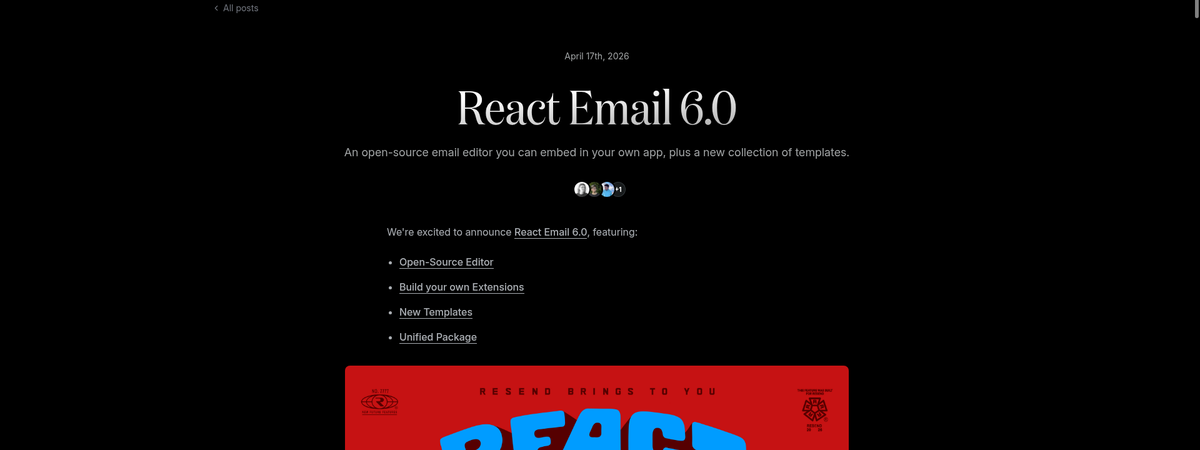
On April 17, Resend shipped React Email 6.0 — the biggest update to the framework since it went open source. The headline feature is an open-source visual editor you can embed in your own app, but the release also unifies the package layout, ships a new template collection, and crosses 2 million weekly npm downloads (a 108% jump in five months). For anyone building transactional or lifecycle email in a React codebase, this is the upgrade to plan for this quarter.
I spent the last week migrating a small React Email project from 5.x to 6.0 and integrating the new editor into an internal admin panel. Here's what's actually different, what to watch for in the upgrade, and the parts of the workflow where you still need a cross-client testing tool.
What's Actually New in 6.0
An open-source visual editor you can embed
The standout feature is @react-email/editor — an open-source WYSIWYG editor you install separately and drop into your own app with a few lines of code:
import { EmailEditor } from "@react-email/editor";

export default function MyEditor() {
  return <EmailEditor />;
}
The editor outputs the same semantically correct, table-based HTML that the React components produce. The point is not to replace the developer authoring loop — it's to let your marketing team tweak copy, swap images, and adjust layouts on templates a developer originally built in code, without round-tripping through engineering for every microcopy change.
This is a meaningful gap closer. Most engineering-led teams using React Email today either lock marketers out of the templates entirely or maintain a parallel set of templates in their ESP for the marketing side to edit. Neither is great. An embedded editor that produces the same HTML the code produces is the bridge.
One package to import from
The component library is now unified into a single react-email package. The pre-6.0 setup with @react-email/components, @react-email/render, and a separate preview-server is collapsed:
// Before (v5)
import { Button, Container, Html } from "@react-email/components";

// After (v6)
import { Button, Container, Html, Heading, Tailwind } from "react-email";
What was @react-email/preview-server is now @react-email/ui. The render function still lives at @react-email/render for now and is unchanged — your existing render scripts (like the one in last week's cross-client testing guide) keep working with no edits.
A new template collection
React Email 6 ships with a new set of starter templates designed by Character Studio, covering authentication flows, e-commerce sequences, and onboarding. They're available both as React Email components and as Figma source files — useful if your designer wants to iterate in Figma and hand off to engineering with a clean baseline.
Growth signal: 2M weekly downloads
The framework now does ~2M weekly npm downloads and counts 196 open-source contributors. For context, that's roughly a doubling since the previous major release in late 2025. Whatever you think about React Email as a tool, it's now the dominant authoring framework for transactional email at React-shop SaaS companies, and that gravity will only grow.
The Upgrade Path from 5.x
The good news: the v5 → v6 path is mechanical for most projects. Here's the playbook.
1. Swap the imports
Run a project-wide find-and-replace from @react-email/components to react-email. The component APIs themselves are unchanged, so a clean string swap usually does it.
npm uninstall @react-email/components @react-email/preview-server
npm install react-email@latest @react-email/ui@latest
2. Update the preview-server scripts
If you had email dev wired up via the old preview-server package, the binary now comes from @react-email/ui. Most package.json scripts will need a one-line update — check the docs for the exact command for your setup.
3. Don't install the editor yet if you don't need it
The editor is a separate install (@react-email/editor). It pulls in additional dependencies and is only worth adding if you actually plan to expose template editing to non-developers. For pure code-authoring teams, skip it and your bundle stays the same size as v5.
4. Test the rendered HTML, not just the dev preview
This is the bit that bites people on every React Email upgrade. The component implementations get small tweaks between major versions — usually for the better — but those tweaks change the output HTML in ways that can render differently in Outlook, Gmail dark mode, or older Apple Mail. The dev server's Chromium preview won't show you any of those changes. Run your render() script and diff the output HTML between v5 and v6 before deploying. Then preview the v6 output in actual client renderers.
What 6.0 Doesn't Solve
The new editor is a real step forward, but it doesn't change the fundamental rendering reality of email: every client interprets your HTML differently, and a tool that compiles to HTML — no matter how good — can't see the inside of the client's renderer. A few specific things React Email 6.0 still won't do for you:
It still can't show you Outlook desktop
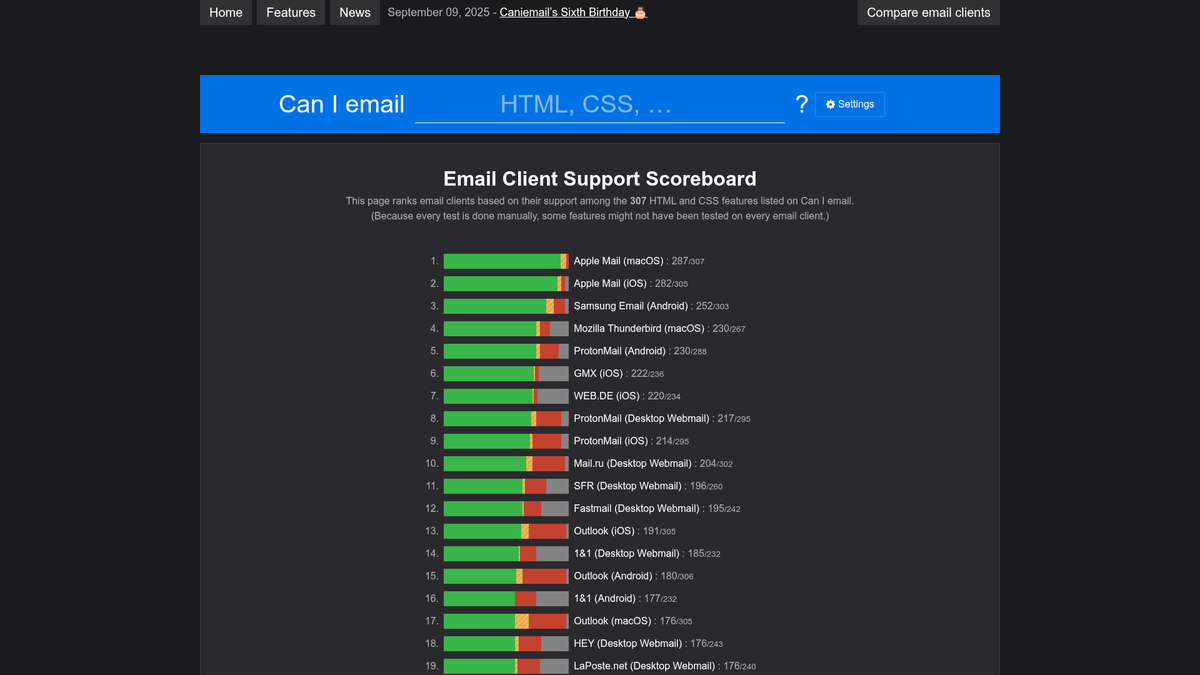
The editor and the preview server both render in Chromium. Classic Outlook on Windows uses the Word rendering engine, which strips most modern CSS. If your template uses border-radius, gradient backgrounds, web fonts, or any of the dozen properties Outlook silently drops, the editor will show you the polished Chromium rendering and Outlook will show your subscribers something completely different. The caniemail.com scoreboard is a useful reality check on which clients support which features:
It still can't catch dark-mode inversions
Apple Mail and Outlook both auto-invert email colors in dark mode using heuristics that vary by client and OS version. A grey background you chose for hierarchy can flip to dark grey while the dark text on top stays dark — leaving an unreadable block your editor preview never showed. You need to test in actual dark mode in actual clients to catch this.
It still can't simulate image-blocking
Many corporate Outlook installs and the Gmail web preview block images by default. The editor shows you the fully-loaded version. Your alt text, fallback text colors on image backgrounds, and the readability of the email-without-images need to be tested separately.
It still can't show real client market share
Editor previews are Chromium. They don't tell you that Apple Mail handles ~55% of opens globally, that Gmail is ~30%, and that Outlook desktop is a much smaller (but stickier) ~5–8%. Knowing which renderers matter most for your specific audience is what lets you triage rendering bugs sensibly.
How This Fits With Your Existing Workflow
For most teams using React Email today, the upgrade-and-deploy story should look like this:
- Upgrade the package on a feature branch. Mechanical import rewrites + dependency swap.
- Re-render every template with your existing render script. Diff the output HTML against your v5 baseline.
- Visually QA the v6-rendered HTML in Postdrop or your tool of choice across Gmail, Outlook (classic and new), Apple Mail, and any clients with material share for your audience. The output is going to be slightly different — make sure "different" is also "still correct."
- Decide on the editor separately. If you have a marketing or lifecycle team that owns template copy, set up a small admin route with
@react-email/editorand let them iterate without engineering as a bottleneck. If you don't, skip it. - Re-snapshot in CI. If you're running snapshot tests against your rendered HTML (and you should be), accept the new baseline once you've manually verified the v6 output. From there, future regressions surface in code review.
Bottom Line
React Email 6.0 is an unambiguously good release: a thoughtful editor, a cleaner package surface, and useful new templates. For React-stack teams, it lowers the barrier to letting non-developers safely touch email templates — which has been one of the longest-standing pain points in the workflow.
What it doesn't do, and what no authoring framework can do, is render your HTML in the actual clients your subscribers use. The editor's Chromium preview is the same Chromium preview the dev server has always shown — and it's still not Outlook. Pair the upgrade with a real cross-client testing step and you'll catch the regressions before your customers do. Skip the testing step and 6.0 just gives you faster, prettier ways to ship the same Outlook bugs.
References: React Email 6.0 announcement, React Email docs, caniemail.com for per-feature client support, Litmus' email client market share, and React Email on GitHub.