
Outlook 2026–2029: The Real Migration Timeline Every Email Developer Should Have Memorized
If you've been following the email-dev community this spring, you've probably seen the headline "Microsoft is killing classic Outlook in October 2026" pop up in a dozen Slack threads, LinkedIn posts, and breathless blog summaries. It's wrong — or at least, it's badly compressed. October 2026 is a real and important deadline, but it's not what most of those posts claim it is, and the actual Windows classic-Outlook cutover has been pushed back significantly.
This post is the corrected version: the four dates that actually matter between now and 2029, what each one breaks, and how your cross-client testing matrix needs to evolve. If you build, test, or send HTML email — read this, then go fix whatever calendar reminder you set in April.
The Four Dates That Matter
Here's the corrected timeline, sourced directly from Microsoft's announcements (links and screenshots throughout). Tape this to your wall.
| Date | What actually happens | Who's affected |
|---|---|---|
| October 1, 2026 | Exchange Web Services (EWS) is blocked in Exchange Online | Any tool or integration calling EWS against Microsoft 365 mailboxes — including legacy Outlook for Mac |
| March 2027 | New Outlook becomes the default for managed enterprise tenants (opt-out phase) | Windows desktop users; classic Outlook still available via toggle |
| No earlier than March 2028 | Classic Outlook for Windows enters "cutover" — toggle disappears | Windows users in tenants that haven't opted in already |
| Q2 2029 | End of life for classic Outlook — no more security updates | Anyone still running it, including LTSC perpetual licenses |
The single most common misread is conflating row 1 (EWS retirement, server-side) with row 3 (classic Outlook cutover, client-side). They're different events, different audiences, and different impact on your email-development work. Let's go through them in order.
October 1, 2026: EWS Goes Away
The actual October 2026 date is the retirement of Exchange Web Services in Exchange Online, announced by the Exchange team back in September 2023 and confirmed again in March 2025. From that day forward, EWS requests against Microsoft 365 mailboxes will be blocked at the service layer. EWS on on-premises Exchange Server is unaffected — this is purely a cloud thing.
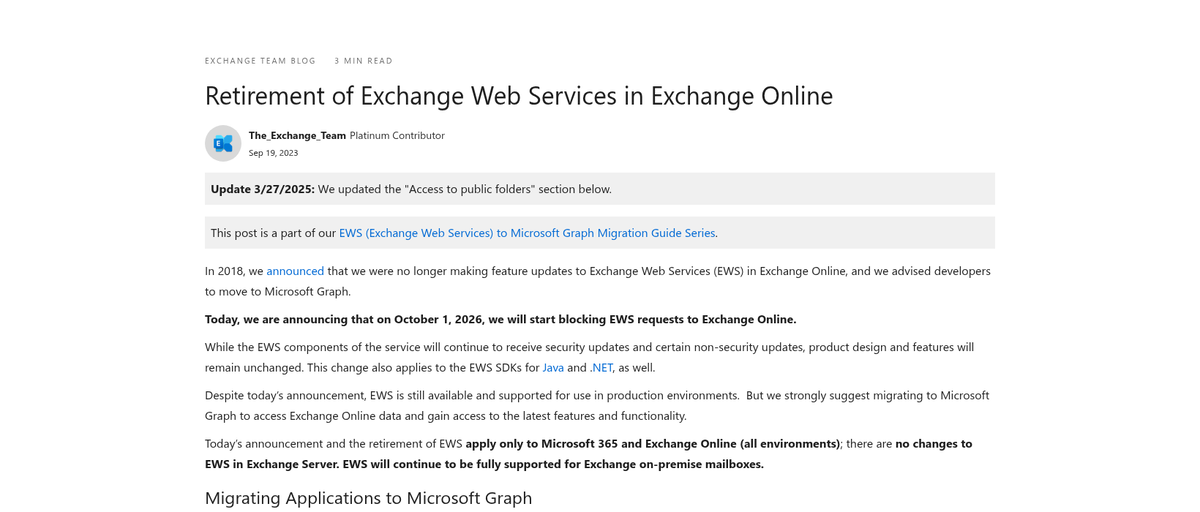
For most front-end HTML email developers, EWS retirement is a non-event — your authoring stack doesn't talk to Exchange directly. But two downstream effects do touch email work:
- Legacy Outlook for Mac stops working against M365 mailboxes. The legacy Mac client uses EWS for sync. After October 1, 2026, users on legacy Outlook for Mac who still have M365 accounts will see their mailboxes fail to sync. Microsoft has been pushing the migration aggressively — over 95% of Mac M365 users have already moved to the new Outlook for Mac — but the long tail still exists, particularly in academic and enterprise IT environments.
- Any email-related tooling on EWS needs to move to Microsoft Graph. If your team built internal scripts that bulk-send test mails, archive sent campaigns, or pull engagement data via EWS, those break on October 1, 2026. The replacement is the Microsoft Graph REST API, which has had years of feature parity work and is the documented forward path.
The takeaway: this date matters, but as a backend/IT date, not a "we have to rewrite all our email templates" date. If your testing pipeline doesn't call EWS, you keep moving.
March 2027: Opt-Out (Quietly Delayed From April 2026)
This is the date that was the headline until very recently. Microsoft originally planned to enter the "opt-out" phase for enterprise tenants in April 2026 — meaning new Outlook would have flipped to the default, with classic still toggleable. In late February 2026, Microsoft updated the Microsoft 365 Admin Center notice (message ID MC949965) to push that to March 2027, giving organizations 12 months of additional lead time.
For email developers, this is the date when "new Outlook on Windows" stops being a niche concern and becomes the default behavior your enterprise recipients see. The toggle back to classic stays available — but a non-trivial percentage of recipients will end up on new Outlook simply by not changing the default.
No Earlier Than March 2028: The Real Classic-to-New Cutover
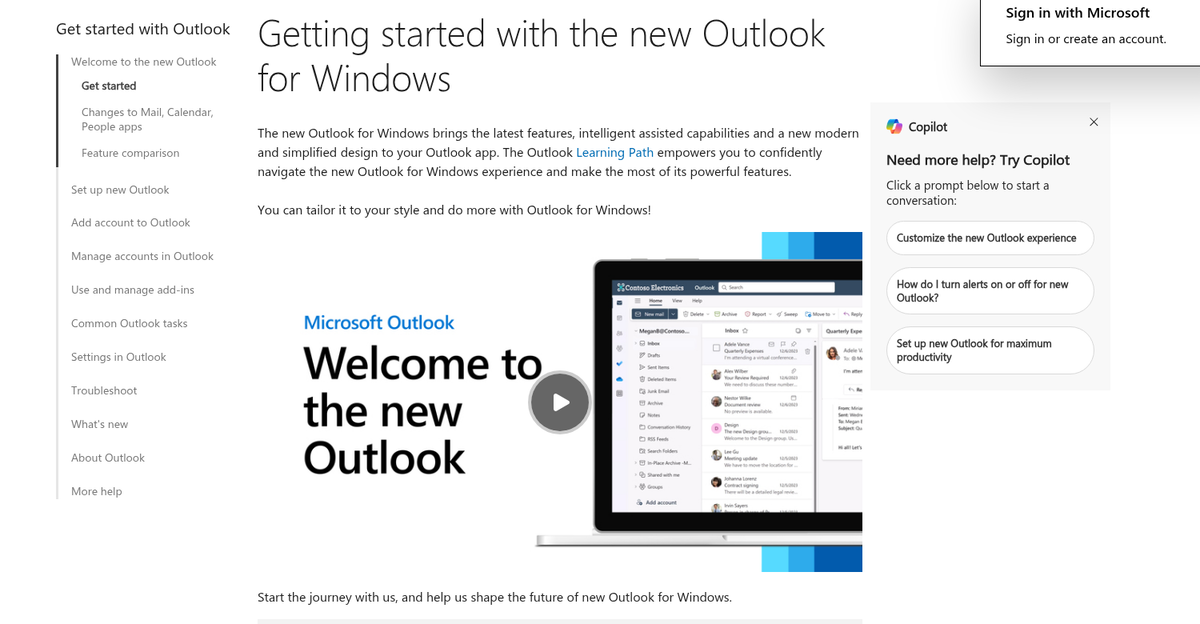
This is the date your testing matrix actually pivots on, and it's now nearly two years further out than the headlines suggested. Microsoft's current commitment: at least 12 months notice before "cutover", with cutover meaning the toggle disappears and classic Outlook is no longer launchable from a tenant.
Given the opt-out phase starts March 2027 and the 12-month minimum runway, the earliest plausible cutover is March 2028. In practice, given how often Microsoft has slipped these dates already, planning for "sometime in 2028, possibly into 2029" is the right posture.
Q2 2029: End of Life — Security Patches Stop
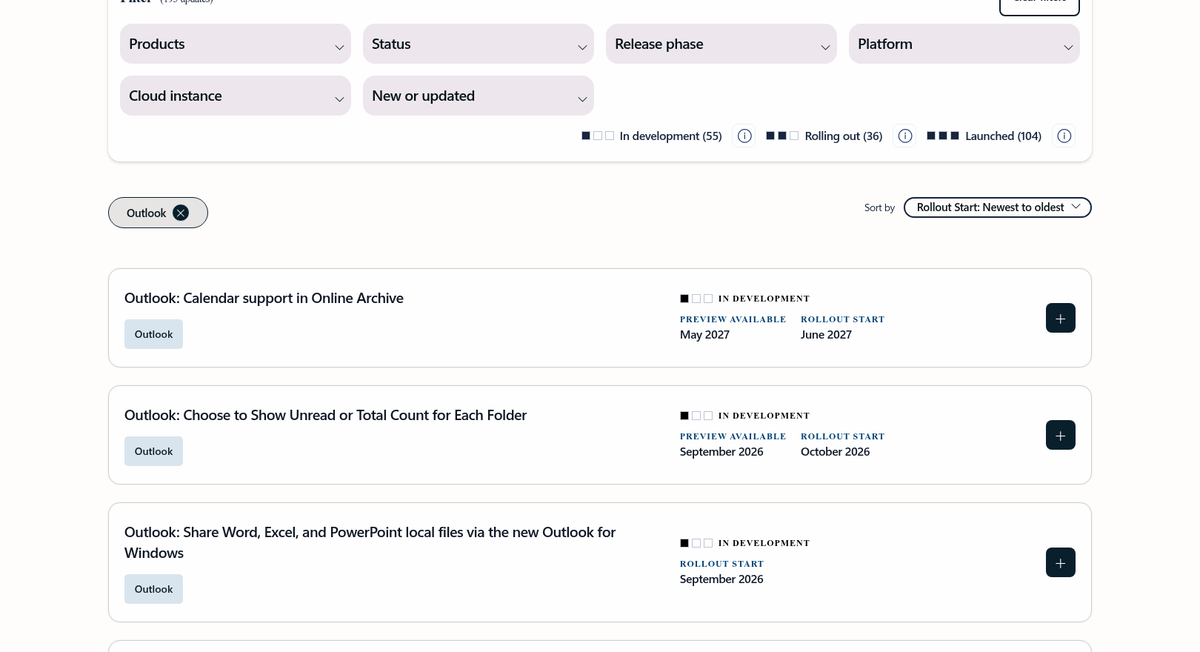
The final date: Microsoft's current commitment is to support classic Outlook with security and compatibility updates through at least 2029 for customers with Microsoft 365 subscriptions and Office LTSC perpetual licenses. After that, classic Outlook is unsupported software — no security patches, no compatibility fixes, no nothing.
For most senders, this is the date by which you can finally stop targeting classic Outlook in your QA matrix with confidence. Until then, the long tail (especially in regulated industries, government, and enterprise IT with extended-support contracts) will still be using it.
What This Means for Your Testing Matrix
The biggest mistake email teams are making right now is treating this as a binary: "we'll deal with new Outlook when classic dies." That's wrong on two counts.
First, the timeline above is staggered, not a single cliff. Every quarter between now and 2029, a larger fraction of your Outlook-on-Windows recipients is on new Outlook (WebView2/Chromium) and a smaller fraction is on classic (Word engine). Your QA matrix needs to handle both for the next ~3 years, with the weight shifting gradually toward new Outlook.
Second, the rendering differences between classic and new Outlook are dramatic. New Outlook is essentially Chromium — modern CSS, flexbox, grid, web fonts, border-radius, gradient backgrounds, all the things classic Outlook silently dropped for 19 years. An email that looked acceptable in classic might look wrong in new Outlook if you've been compensating for classic's quirks with hacks (e.g., spacer GIFs, table-only layouts) that render strangely when a real browser engine takes them at face value.
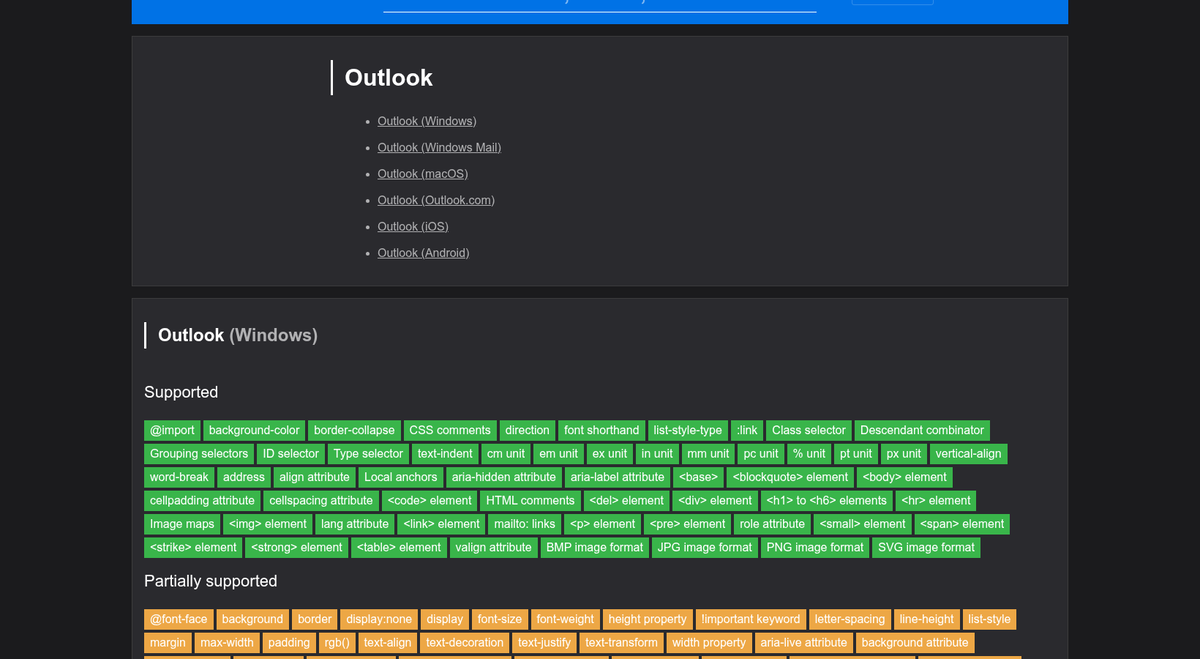
The bifurcated testing matrix
Concretely, for the next ~3 years your Outlook-on-Windows test row should split into two:
- Classic Outlook (Word engine) — still the default for many enterprises through at least March 2027, and present in the long tail through 2029. Continue testing for: collapsed multi-column layouts, missing
border-radius, missing CSS background images, ignored web fonts, and the rest of the well-documented classic-Outlook fail modes. The classic-Outlook quirks guide remains relevant. - New Outlook (WebView2 / Chromium) — small share today, materially larger by mid-2027, dominant by 2029. Tests here look more like "does this render correctly in Edge" — modern CSS works, but the email layer still imposes its own restrictions on top of Chromium (no JavaScript, restricted CSS in some contexts, the still-developing add-in story).
Tools like Postdrop.io, Litmus, and Email on Acid have been adding "new Outlook" as a separate preview target through 2025 and 2026 — make sure both are in your pre-send checklist, not just "Outlook."
What You Can — And Can't — Stop Doing
The temptation is to say "classic Outlook is dying, I can finally delete my VML background-image hacks." Don't. Not yet. Here's the honest read:
Code you can't delete yet
- VML for background images — Still required for classic Outlook. Will be required until at least 2027 for enterprise, longer for the long tail. Keep it.
<!--[if mso]>conditional comments — Still parsed by classic Outlook. Useful for targeted overrides. Keep them.- Table-based layouts — Even ignoring Outlook, Gmail's Android client still has historical issues with non-table layouts. Tables remain the safest structural primitive. Keep them.
- Inline CSS — Still required by Gmail regardless of Outlook. Not even in scope to delete. Keep it. (See our inlining guide.)
Code you can experiment with
- Progressive enhancement for modern Outlook — Where classic Outlook would have ignored or broken a feature, you can now add it for new Outlook recipients with the expectation it'll render correctly.
border-radius, subtle CSS animations, web fonts (via the standard@importor<link>approach) — all worth A/B testing on Outlook traffic now that a growing slice of it can handle them. - Reducing the number of
<!--[if mso]>branches — As classic Outlook share drops, the maintenance cost of each conditional branch becomes harder to justify. Audit your templates for fixes that are only there for very old classic Outlook versions and consider whether the carve-out is still worth the bytes.
The Community Read
The Hacker News discussion on the new Outlook for Windows has been ongoing for years — and the threads consistently surface the same email-developer perspective: cautious optimism, paired with the lived experience that Microsoft has missed Outlook deadlines before.
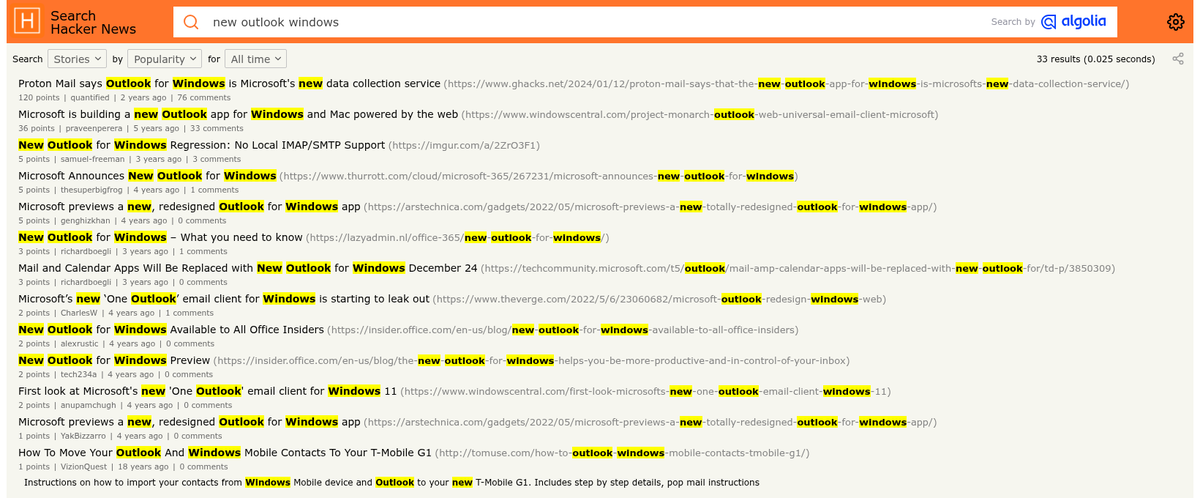
The most-upvoted email-dev take from a recent thread, paraphrased: "I'll believe classic Outlook is gone when my enterprise QA matrix can drop it. Until then I'm shipping VML." That's the right operational posture.
A Six-Step Transition Test Plan
Concretely, here's how to evolve your QA workflow over the next 18 months:
- Add new Outlook (Windows) as a separate preview target in your testing tool now, alongside classic Outlook. Treat them as independent rows in your QA matrix.
- Run your top 10 most-sent templates through both renderers and document the diffs. You'll find some surprises — both improvements and new regressions in new Outlook.
- Build a "modern Outlook" progressive enhancement layer for things like rounded corners, gradients, and tighter typography. Wrap them so classic Outlook degrades gracefully (e.g., a flat rectangle instead of a broken rounded one).
- Audit your engagement data for any user-agent or rendering-engine signals that distinguish new vs. classic Outlook recipients. Some ESPs surface this in opens data; check yours.
- If you maintain internal tooling on EWS, port it to Microsoft Graph this year. October 1, 2026 is real and final for the API; you don't want to discover this the morning of.
- Re-test in Q3 2026 and Q1 2027 as the new-Outlook share grows. The renderer mix is changing under you whether you re-test or not; periodic re-baselining keeps you from drifting.
What This Means for Tooling Like Postdrop
The email-preview tools ecosystem is in the middle of the same transition. Postdrop.io, Litmus, and Email on Acid have all been expanding their Outlook coverage to render both classic and new as distinct targets through 2026. The practical reason: a single "Outlook" preview is no longer a meaningful answer to "how does this look in Outlook?" because the answer is now genuinely different depending on which Outlook your recipient is using.
This is also why a single screenshot of "Outlook desktop" is no longer enough for stakeholder sign-off. Get into the habit of sharing previews from both renderers when you ship a template review, the same way you'd share both Gmail web and Gmail mobile.
Bottom Line
The headlines compressed a complicated, staggered migration into a misleading single date. Here's the real version, one more time:
- October 1, 2026: EWS retires in Exchange Online. Backend tooling concern; legacy Outlook for Mac stops working against M365.
- March 2027: New Outlook becomes the default for enterprise tenants (toggle still available).
- No earlier than March 2028: Classic Outlook cutover. Toggle disappears.
- Q2 2029: End of security updates for classic Outlook.
For email developers, the operational answer is the same regardless of how the dates slip: test both renderers, today, in parallel. Don't delete your VML yet. Don't ignore new Outlook either. The bifurcation in your testing matrix is the cost of the next three years; the payoff is that by 2029 you'll be writing HTML email that targets a modern browser engine and a single recently-updated client, instead of fighting Word's idea of HTML.
References: Microsoft Exchange Team Blog on EWS retirement, Microsoft 365 Roadmap (Outlook), Microsoft Support on getting started with new Outlook, and caniemail.com Outlook coverage. Internal: our existing guides on cross-client rendering differences, why Outlook breaks your HTML email, and previewing React Email templates across clients remain the foundation this post builds on.